KDP Interiors Daily Project Planner: Editable 6x9 Template
Creating a successful low-content book on Amazon KDP requires more than just uploading a generic PDF; it demands a product that solves a specific organizational problem for a defined audience. The KDP Interiors Daily Project Planner by De-Team addresses this need by providing a structured, professional-grade logbook template designed for high-utility environments. Unlike blank journals or simple lined notebooks, this interior is engineered for active tracking, follow-up management, and daily accountability. For publishers and designers looking to expand their catalog with functional stationery, understanding the specific architecture and application of this 6″ x 9″ template is essential for creating a product that stands out in a saturated marketplace.
Anatomy of a Functional Logbook Interior
The effectiveness of any KDP interior lies in its usability. This specific Daily Project Planner is formatted at 6″ x 9″ inches, a trim size that strikes an ideal balance between portability and writing space. It contains 110 pages, offering enough volume for three to four months of daily use without becoming cumbersome. The "No Bleed" setting is a critical technical feature for creators; it ensures that all content stays safely within the margins, eliminating printing errors and making the file compatible with standard KDP paperback specifications without requiring complex gutter adjustments.
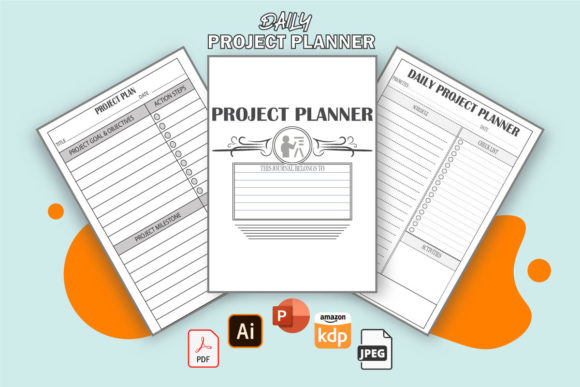
The true value of this interior is found in its column structure. It moves beyond simple note-taking to become a data capture tool. Each page includes dedicated fields for:
- Date and Time: Essential for chronological tracking and time-stamping interactions.
- Contact Information: Specific columns for name and phone number turn the book into a physical CRM.
- Subject and Action Required: Separates the topic from the necessary next step, reducing cognitive load.
- Initials and Completion Checkbox: Adds a layer of accountability and visual satisfaction when tasks are finished.
This level of detail transforms the book from a passive notebook into an active workflow management system. For KDP creators, this specificity is what drives positive reviews and repeat customers, as buyers are often searching for a pre-formatted solution rather than a blank slate.
Leveraging Editable Source Files for Customization
One of the most significant advantages of the De-Team Daily Project Planner is the inclusion of editable source files in PDF, AI (Adobe Illustrator), and PPT (PowerPoint) formats. This flexibility allows publishers to adapt the base template to niche markets rather than competing directly with identical listings. While the core structure remains consistent, the ability to edit means you can tailor the product to specific professions or aesthetics.
For example, a publisher targeting the real estate market might adjust the header to include "Property Address" or "Listing ID" alongside the standard subject line. A creator focusing on healthcare administration could modify the "Contact Name" field to "Patient/Provider" and add a HIPAA-compliant disclaimer to the introduction pages. PowerPoint files are particularly useful for those who do not have access to professional design software like Illustrator, allowing for text changes, font updates, and logo additions using familiar tools. This editability ensures that your version of the planner remains unique and relevant to your specific target audience.
Practical Applications Across Professional Sectors
To market this interior effectively, one must understand who actually uses a structured daily logbook. The versatility of the KDP Interiors Daily Project Planner makes it suitable for a wide demographic of professionals aged 20–50 who require tangible organization methods.
Call Centers and Customer Support Teams
In high-volume call centers, digital fatigue is a genuine issue. Employees often prefer a physical log to quickly jot down callback numbers or issue summaries without toggling between multiple software tabs. The specific columns for phone number and follow-up action make this interior ideal for customer service representatives who need to track ticket resolutions manually before entering them into a digital system. Publishers can position this book as a "Shift Companion" or "Agent’s Daily Tracker," emphasizing its role in maintaining accuracy during fast-paced shifts.
Walk-In Advising Centers and Reception Desks
Front desk staff in medical offices, university advising centers, or corporate lobbies manage a constant flow of transient interactions. A digital spreadsheet is often impractical for quick sign-ins or immediate message taking. This logbook serves as a centralized communication hub. The "Initials" column is particularly valuable here, as it creates an audit trail showing exactly which staff member handled a specific inquiry. When adapting this interior for this niche, consider adding a section in the front matter for office protocols or emergency contact lists to increase perceived value.
Freelancers, Consultants, and Small Business Owners
Solopreneurs often lack the automated tracking systems available to large corporations. For freelancers, this planner acts as a hybrid invoice tracker, client meeting log, and task manager. The "Subject" and "Follow-Up" columns help separate billable work from administrative tasks. Creators targeting this group should focus on branding that feels premium and minimalist, perhaps renaming the product to "Client Interaction Journal" or "Freelance Workflow Log" to better match their search intent.
Strategies for Effective KDP Listing Optimization
Having a high-quality interior is only half the battle; presenting it correctly to potential buyers is equally important. When listing a book created with the De-Team template, clarity regarding the internal layout is paramount. Buyers of functional books are risk-averse; they need to know exactly what they are purchasing.
Use the description and A+ Content to explicitly list the column headers mentioned above. Do not assume customers will guess that there is a checkbox for completion or a space for initials. Highlighting these micro-features demonstrates that the book was designed with intention. Furthermore, emphasize the "No Bleed" specification in your backend keywords or description if you are targeting users who may want to scan or photocopy pages later, as clean margins facilitate this process.
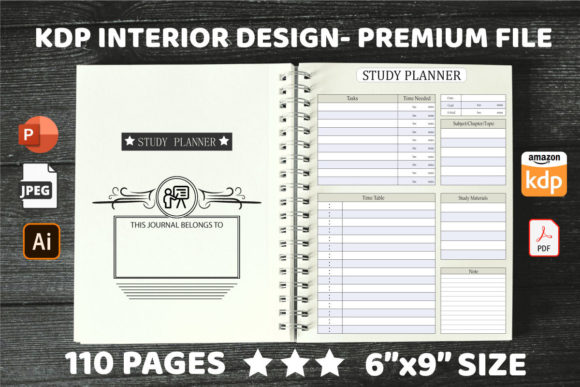
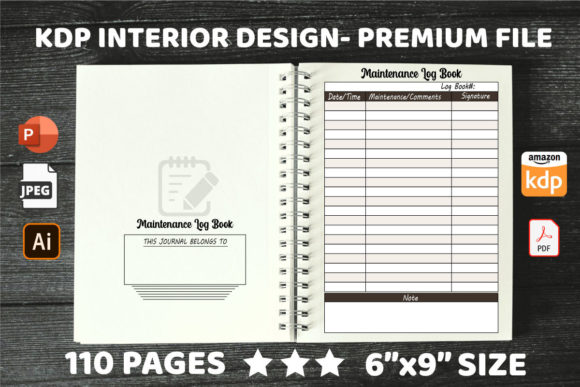
Consider creating variations based on the editable nature of the files. Instead of listing a single generic "Daily Planner," develop a series: one for students tracking study groups, one for property managers tracking maintenance requests, and one for sales teams tracking leads. Each variation uses the same robust underlying structure but speaks a different language through customized covers and slight interior tweaks. This approach maximizes the return on investment for the template while serving distinct user needs.
Maintaining Quality and Consistency
When editing the provided AI or PPT files, maintain the integrity of the original design. The spacing and alignment were likely calculated to ensure optimal writing comfort. Avoid overcrowding the page with additional graphics or shrinking the text boxes to fit extra elements. White space is a functional component of a logbook; it prevents the page from feeling chaotic and ensures the user has adequate room to write legibly.
Always test print a proof copy after making edits. Screen resolution differs significantly from print output, especially with grayscale interiors. Verify that the lines are crisp, the text is readable at small sizes, and the binding margin does not encroach on the writing area. By treating the KDP Interiors Daily Project Planner as a professional foundation rather than a disposable asset, you build a reputation for quality that encourages brand loyalty and distinguishes your publications in the competitive low-content category.